Installazione del certificato SSL Let’s Encrypt
Introduzione
In FASTPANEL® puoi gestire i certificati SSL:
- Installare un certificato esistente
- Installare un certificato Let's Encrypt
- Creare un certificato autofirmato
- Creare una richiesta di firma del certificato
Come installare certificati SSL gratuiti Let’s Encrypt
-
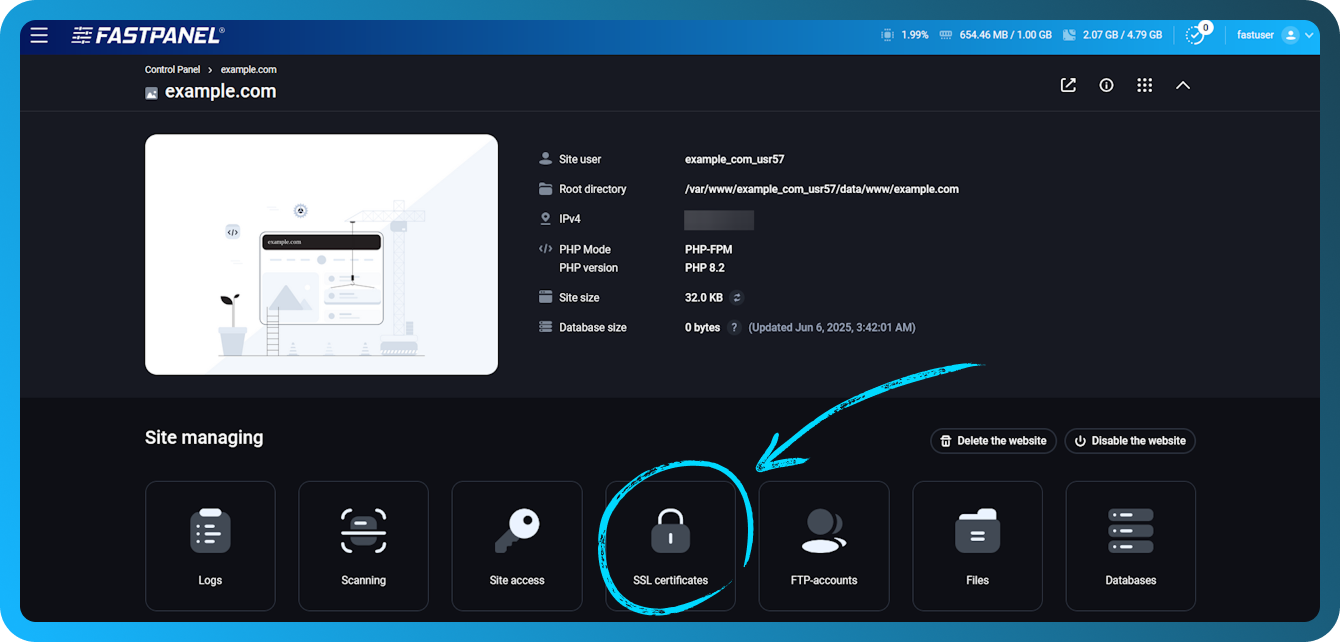
Apri la scheda del sito per cui vuoi installare un certificato SSL. Vai a "Certificati"
-
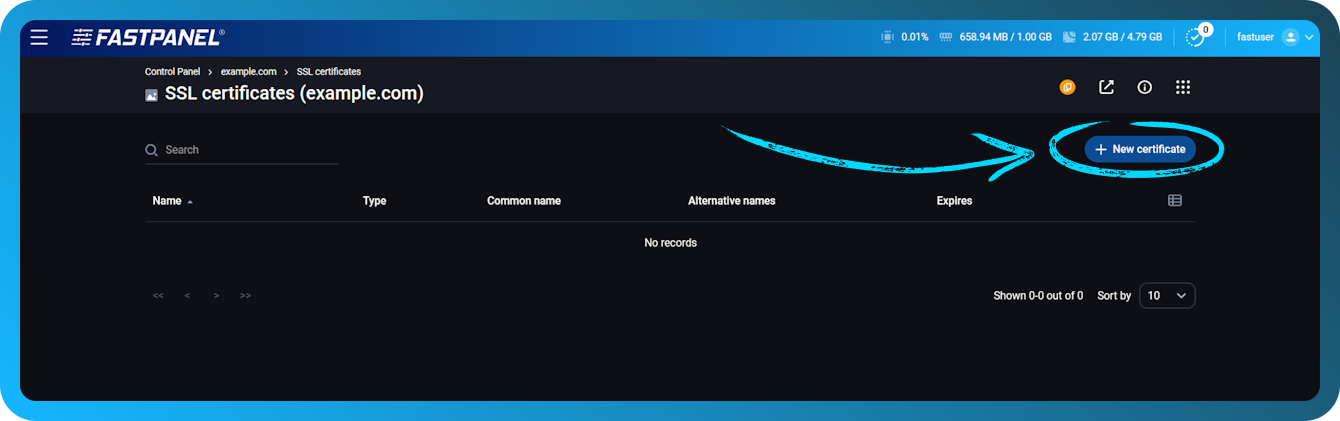
Fai clic su "Nuovo certificato" nell'angolo in alto a destra dello schermo.
-
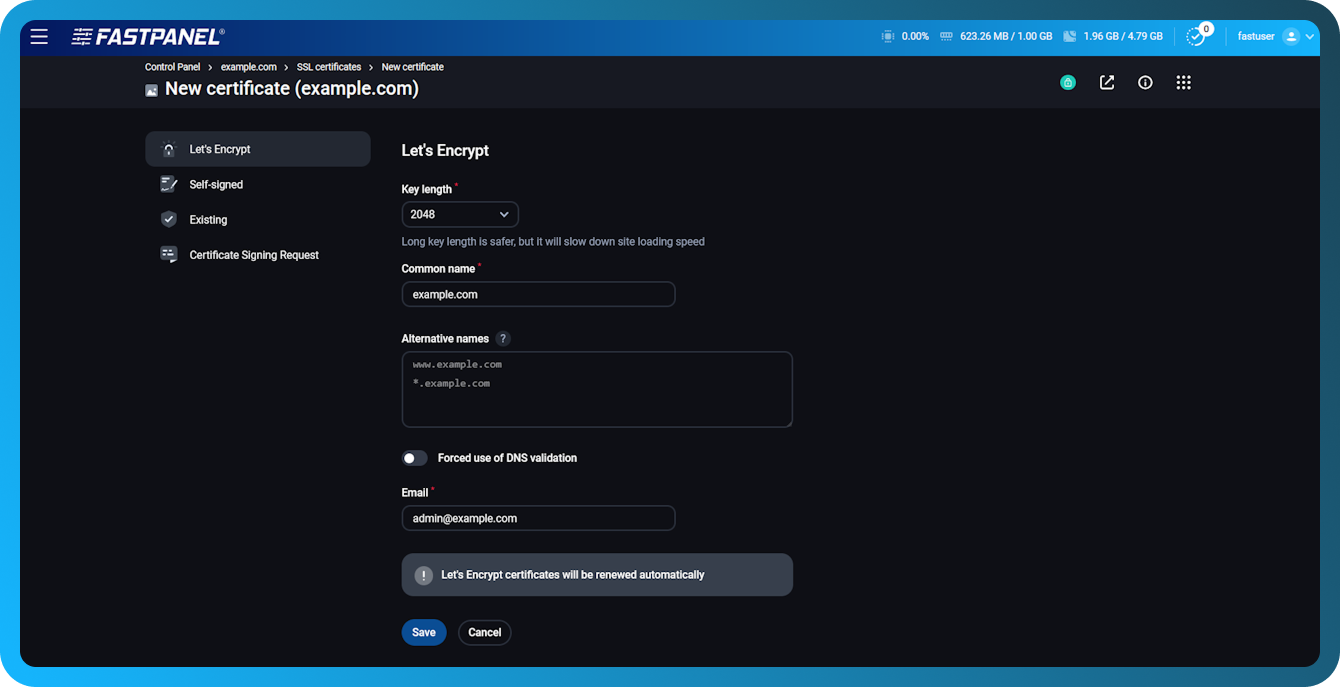
Nella finestra modale aperta seleziona "Let’s Encrypt" nel menu a discesa "Tipo", inserisci il tuo indirizzo email nel campo corrispondente e fai clic sul pulsante "Salva". Il tuo indirizzo email verrà utilizzato per informarti sullo stato del certificato.
importante
Il certificato Let’s Encrypt può essere emesso solo per un dominio registrato che punta all'indirizzo IP del tuo server
nota
il reindirizzamento http → https è disabilitato per impostazione predefinita. Per abilitarlo, vai al menu "Impostazioni" della scheda del sito