License activation
Activation is required only when using a NAT configuration. If your server has a public IP address, you only need to order a license for that IP in the FASTPANEL billing system.
License request
If no license is available for your panel or the current license is invalid, you will be automatically redirected to the license request page within FASTPANEL.
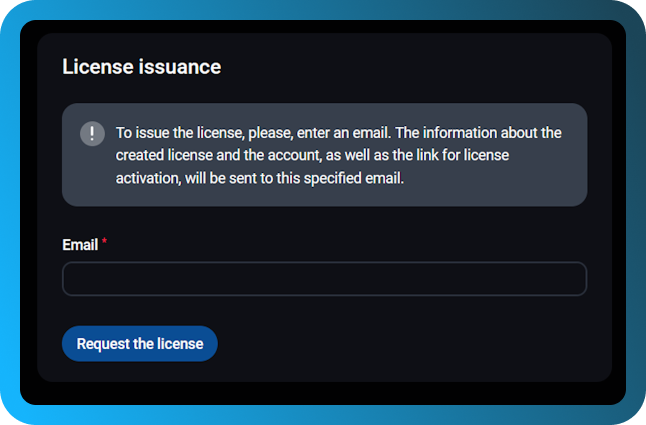
Requesting the license
- Once redirected to the license request page, enter your email address into the provided field.
- Click on the "Request the license" button.
- You will receive an email containing a link for license activation.
Note: Ensure that the email entered is correct to avoid any delays in receiving your license.
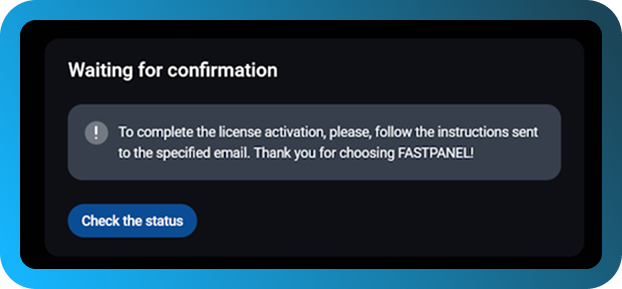
Completing license activation
- After submitting your email, a confirmation message will appear, informing you that the license activation instructions have been sent to the specified email.
- Check your inbox and follow the instructions in the email to complete the activation process.
Important: You will need to confirm the activation link in the email to finalize the process.
Common Issues
- Did not receive the email?
- Ensure you entered the correct email address.
- Сheck your spam/junk folder.
- Reactivating after internal IP change
- If the internal IP address of your server changes, the previous license becomes invalid.
- You will automatically be redirected to the license request page again.
- Repeat the process by requesting a new license.
If you are experiencing any issues with license activation, please contact our support service. We will be happy to assist you!