Site settings
Introduction
To open site settings open the site card first and then select "Settings" menu
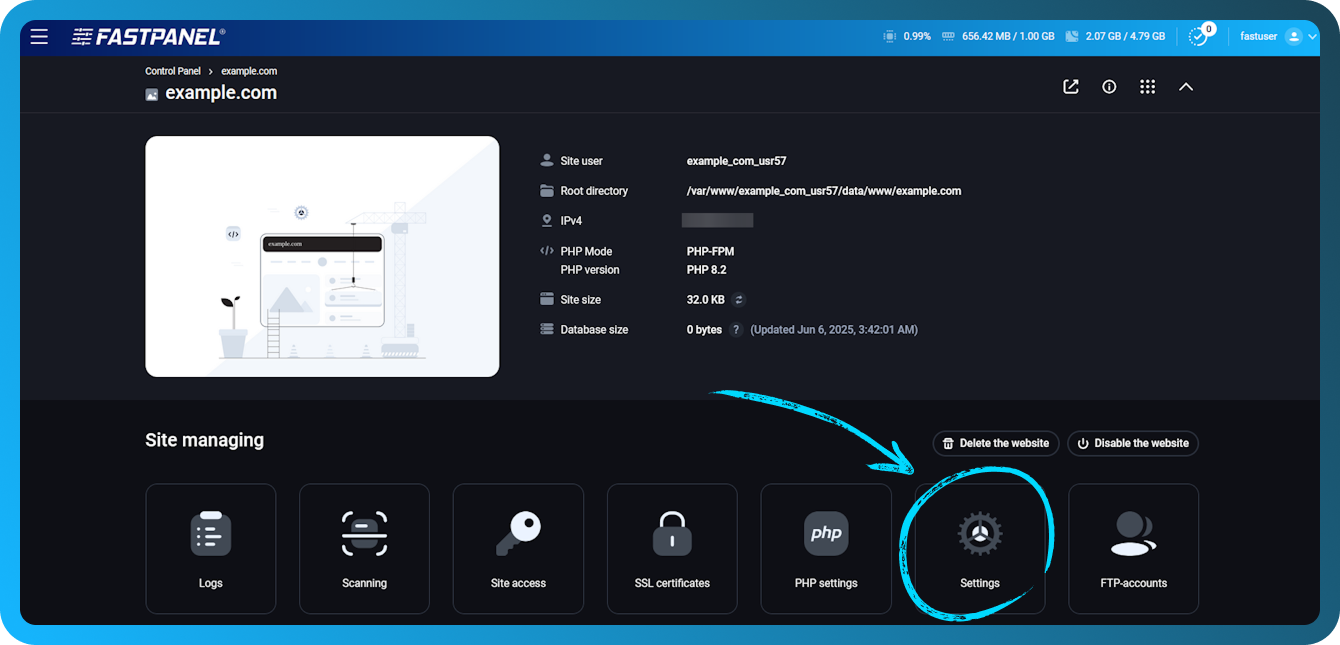
Settings has several submenus:
This menu also contains "Delete website" button which removes the site and all related data (files, domains, certificates, databases etc.)
Let’s have a closer look on each section:
Main settings
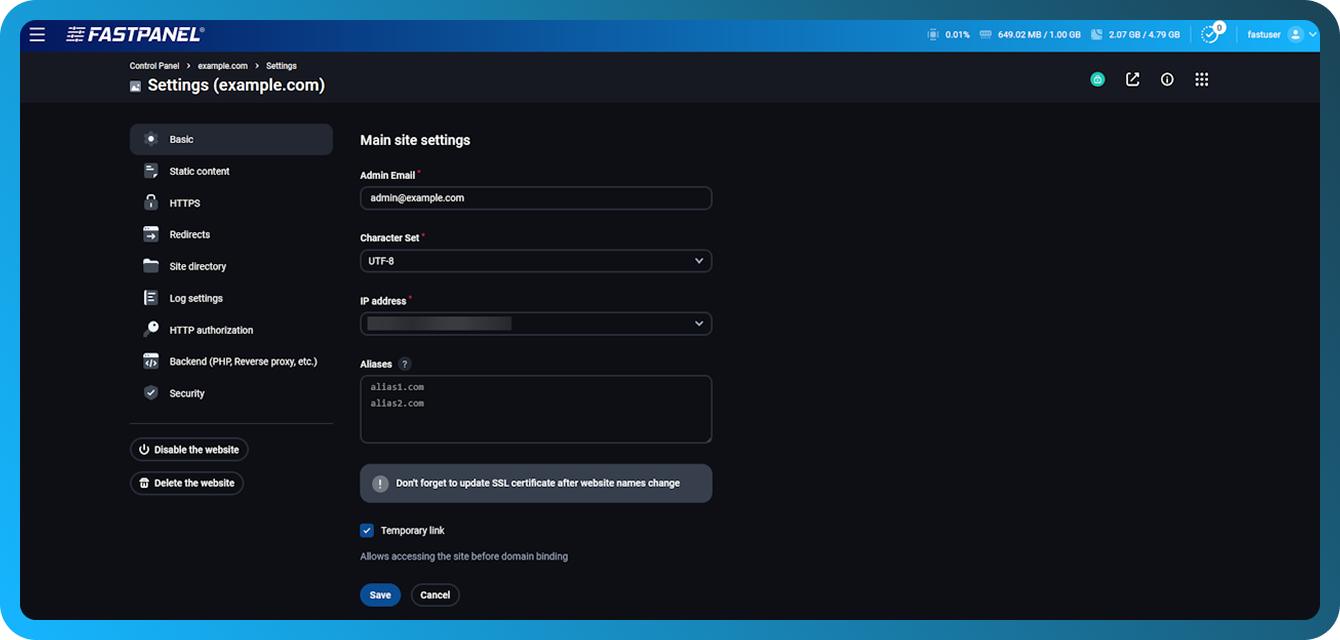
This submenu includes general site settings:
- Enable/disable a website
- Enable/disable temporary link usage
- Domain
- Admin email
- Site encoding
- IP-address, the site will be available at
- Site aliases
HTTPS
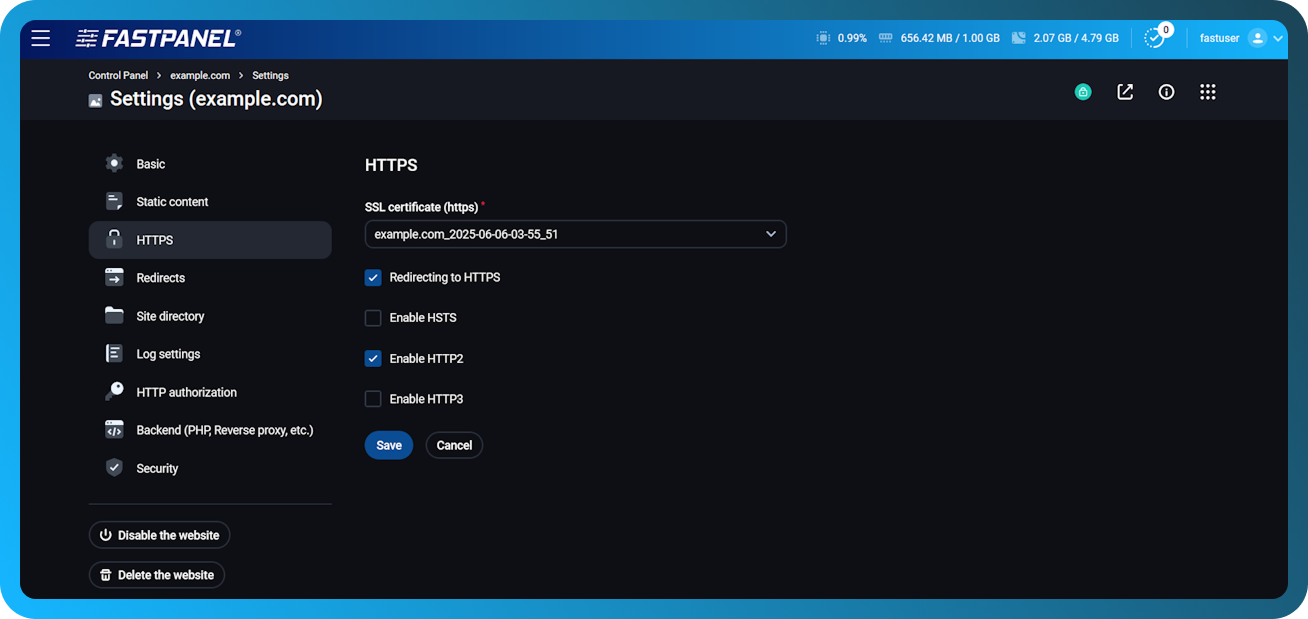
This submenu contains management tools to make your site work via HTTPS protocol. After the certificate is specified in "SSL certificate field", additional options will appear:
- HTTPS redirect - this option makes all requests redirected to HTTPS with 301 code. (Moved Permanently).
- HSTS - when enabled this option sends Strict-Transport-Security header that forces browser to use HTTPS connection only
- HTTP2 - enabling the second version of HTTP protocol
Redirects
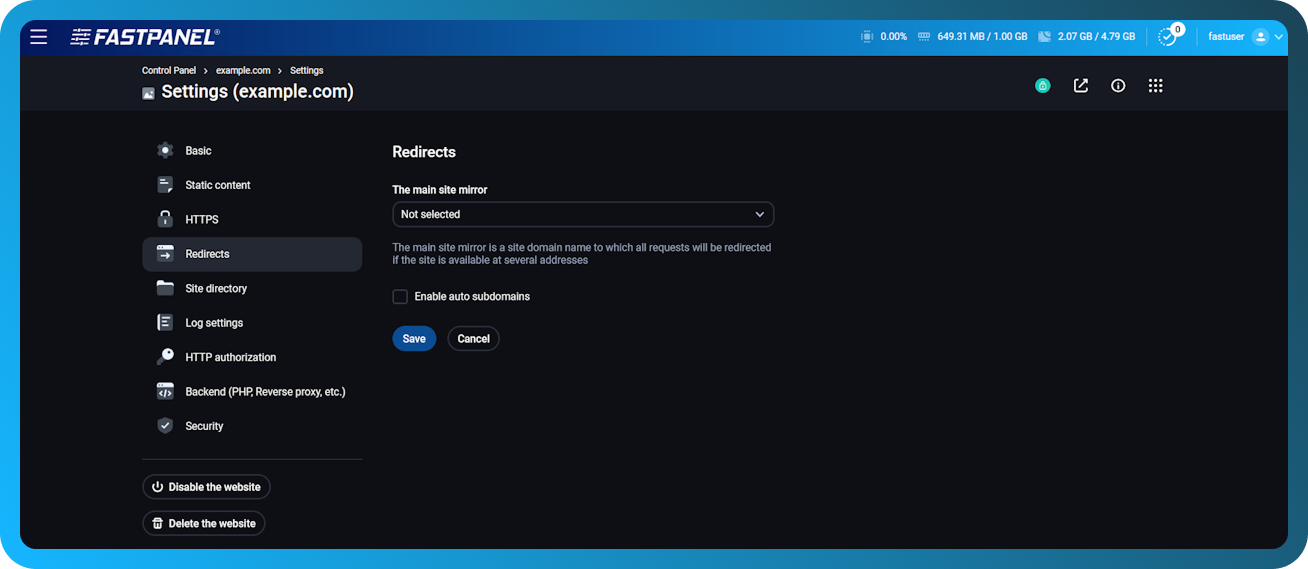
This submenu contains redirect setting for incoming requests to the website:
- The main site mirror - when it is enabled, requests will be redirected from aliases to the name specified in the parameter. For example, here you can set up a redirect from the main domain to the www subdomain, or vice versa.
- Enable auto subdomains - Auto subdomains is a setting that automatically adds a wildcard alias (
*.example.com) to the site. Subdomain files will be available from the main domain. They should be created in folders corresponding to the subdomain name in websites root directory. E.g. subdomains sub0.example.com root directory will be /var/www/www-root/data/example.com/sub0 .
Please note that the wildacrd alias (*.example.com) must be added manually to the DNS.
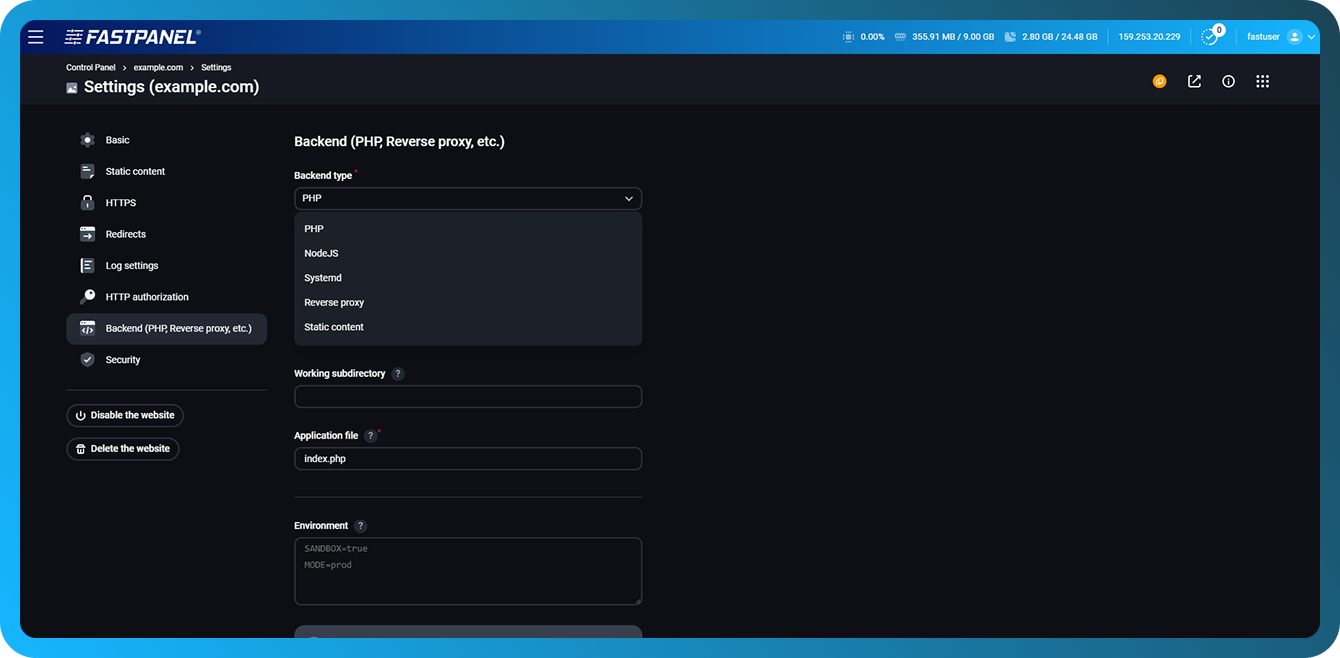
Backend (PHP, Reverse proxy, etc.)
This submenu includes options for backend processing by the web server:
- Backend type – The type of backend that will handle requests
Available options: PHP, NodeJS, Systemd, Reverse proxy, Static content - Handler – The way the backend is connected to the web server, for example, Apache module
- PHP version (can be changed only for a specific PHP modes)
- Worker amount – Specified for PHP-FPM mode only
- Application file – This option specifies the page to show upon request to the site
- Working directory – Specifies a root directory to use for the website. Cannot be changed
- Working subdirectory – Specifies the site directory if it needs to operate from non-root directory
- Environment – Environment variables passed to the application (for example, operating mode, sandbox settings, etc.)
Read more in the article Can I change PHP mode for a site?
More about reverse proxy in How to use Reverse Proxy mode
More about Node.js backend in How to use NodeJS mode
More about Systemd backend in How to use Systemd mode